Other Intelligence
Fire Detection
Feature Description
Definition
- Cameras detect whether there is a fire in a specified area and report an alarm if there is any.
- The system receives and processes fire alarms reported by cameras.
Customer Benefits
- The system automatically detects key information in video, reducing labor costs and improving work efficiency.
- The system supports around-the-clock detection or detection for a specified duration, eliminating issues that may occur due to security personnel's mistakes.
- Users only need to view live video upon an alarm. This allows a user to centrally manage a large number of cameras, reducing labor costs.
Application Scenario
This feature applies to places requiring fire safety, for example, forests, schools, exhibition halls, libraries, and factories.
Requirements
NE |
Version Requirement |
License Requirement |
Function |
|---|---|---|---|
HWT-IVS1800-D/HWT-IVS1800-E |
11.1.0 and later versions |
N/A |
Receives and processes fire alarms reported by cameras. |
iClient S100 |
V1.6.0 and later versions |
N/A |
Receives and displays fire alarms reported by cameras. |
SDC |
8.0.2 and later versions |
N/A |
Supports fire detection. |
Application Limitations
- Related configurations need to be performed in the camera web system.
- Currently, this feature is available only for dual-spectrum thermal cameras M9341-10-Th and M9341-10-Th (75 mm).
Feature Configuration (Based on Cameras)
Prerequisites
- Cameras have been configured to synchronize time with the HWT-IVS1800. This function is enabled by default. For details, see Configuring Time Synchronization from a Camera to the HWT-IVS1800.
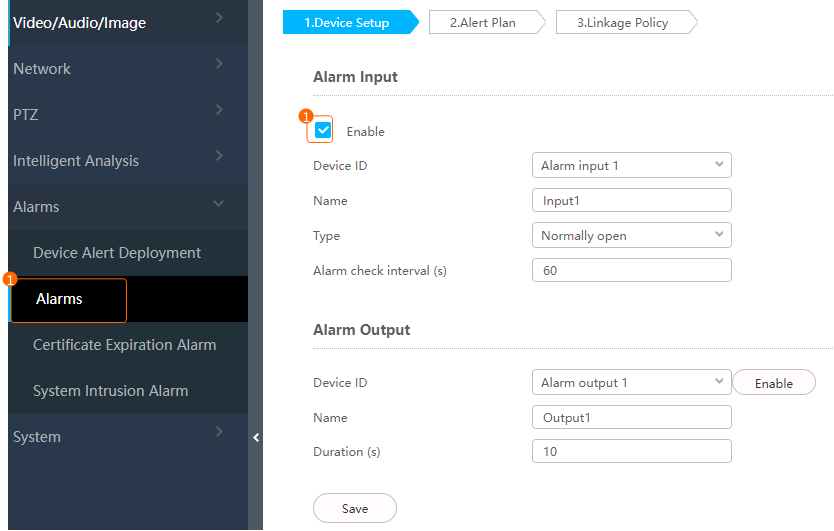
- The alarm input function has been enabled for the camera.
To enable the alarm input function, log in to the camera web system, choose Settings > Alarms > Alarms and select Enable in the Alarm Input area, as shown in Figure 4-310.
Scenario Description
Table 4-275 describes the support for this feature in different client scenarios.
Limitations
You can set fire alarm parameters only in the camera web system and view real-time push information on the iClient S100. Historical fire alarms cannot be queried.
Only M9341-10-Th (75 mm) dual-spectral thermal cameras are supported.
Cameras can be connected to the iClient S100 only through HWSDK.
Procedure
- Log in to the camera web system as the admin user. (
 Logging in to the Camera Web System)
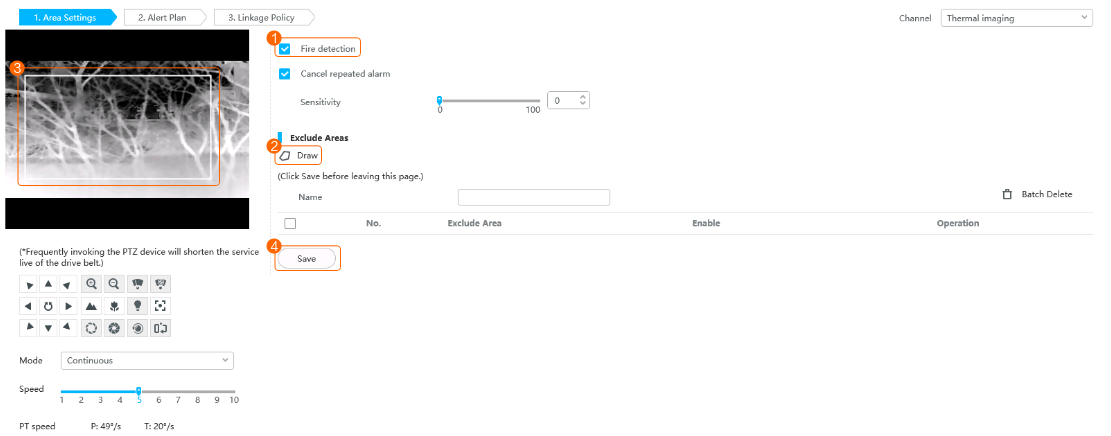
 - Choose Settings > Intelligent Analysis > Fire.
- Set area parameters, as shown in Figure 4-311.
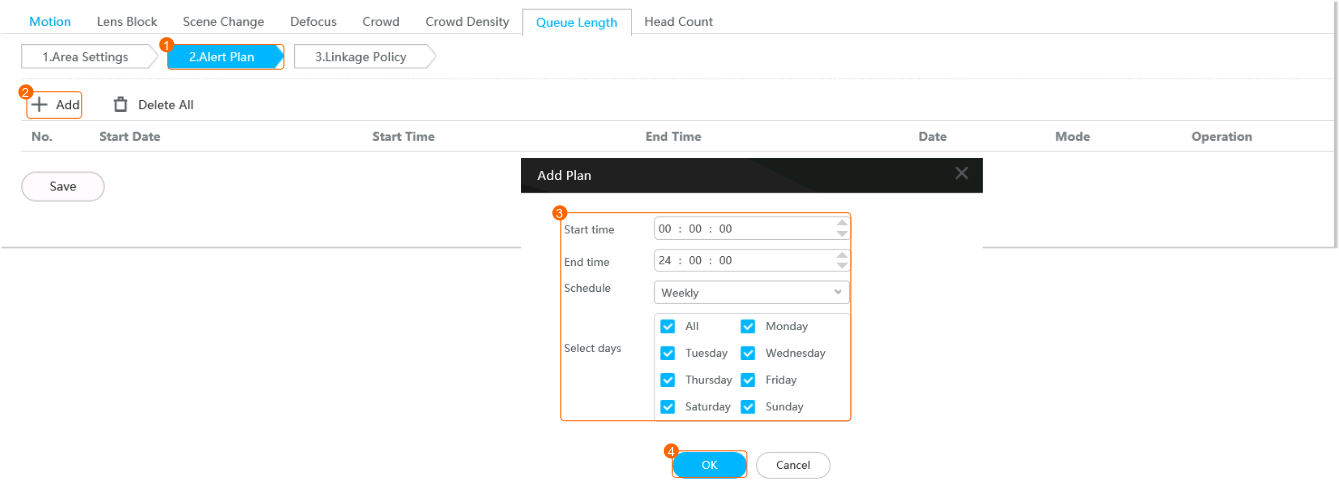
- Configure an alert plan, as shown in Figure 4-312.
Feature Verification
Procedure
- On the iClient S100 home page, choose .
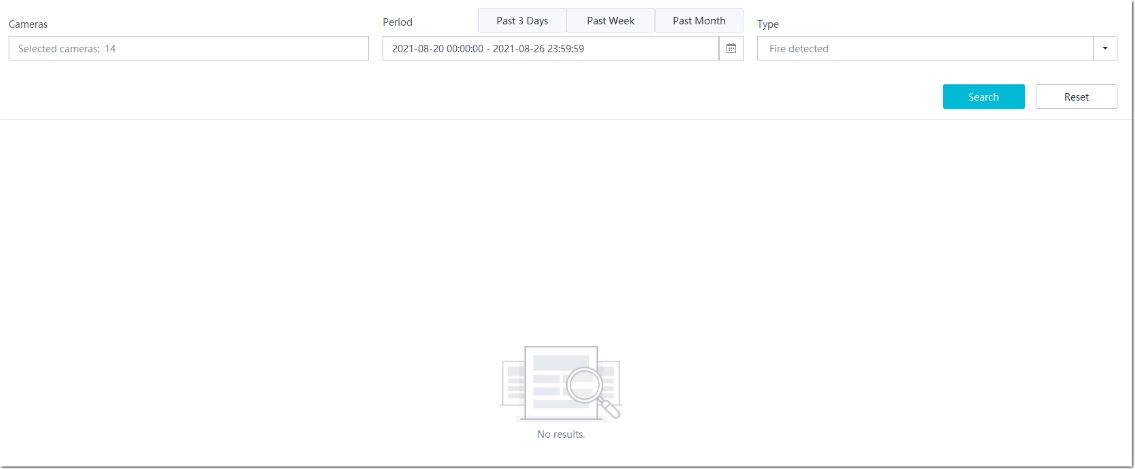
- View fire detection alarms, as shown in Figure 4-313.